Work, reinvented
Knowledge management for the agentic era
What Tiro Pro does
Everything builds on the same foundation — the documents your team already holds.
Documents
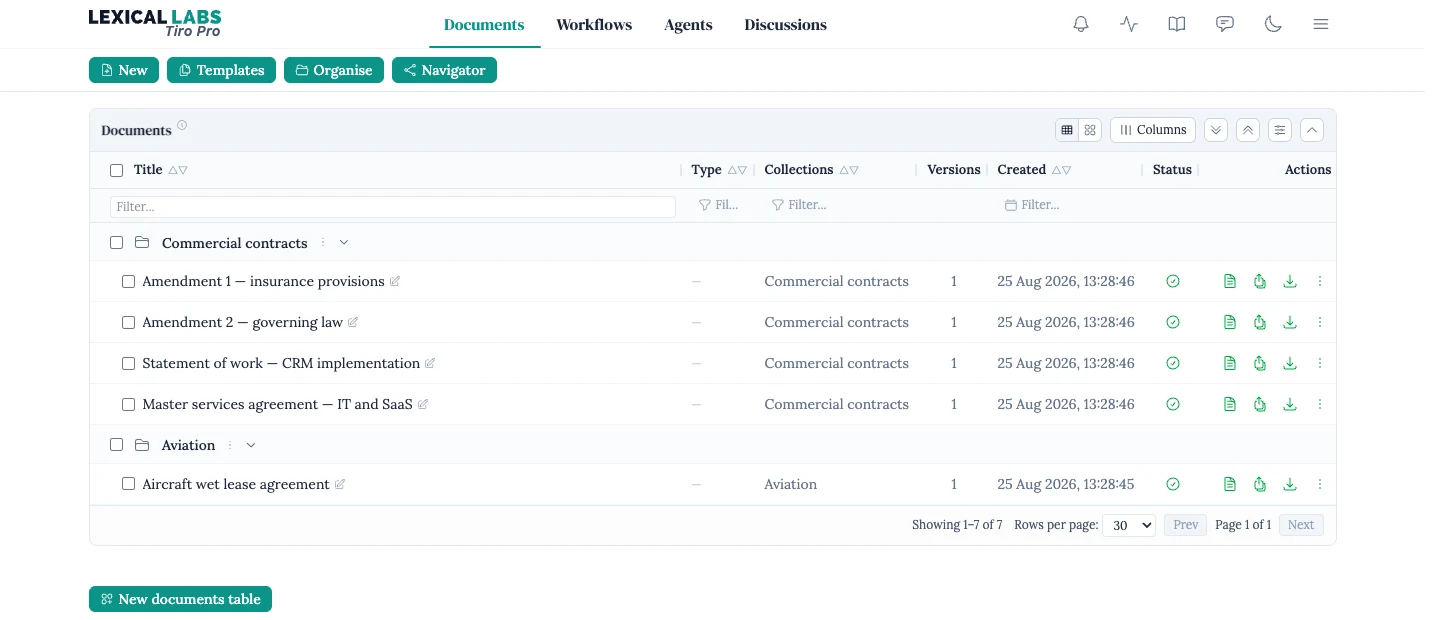
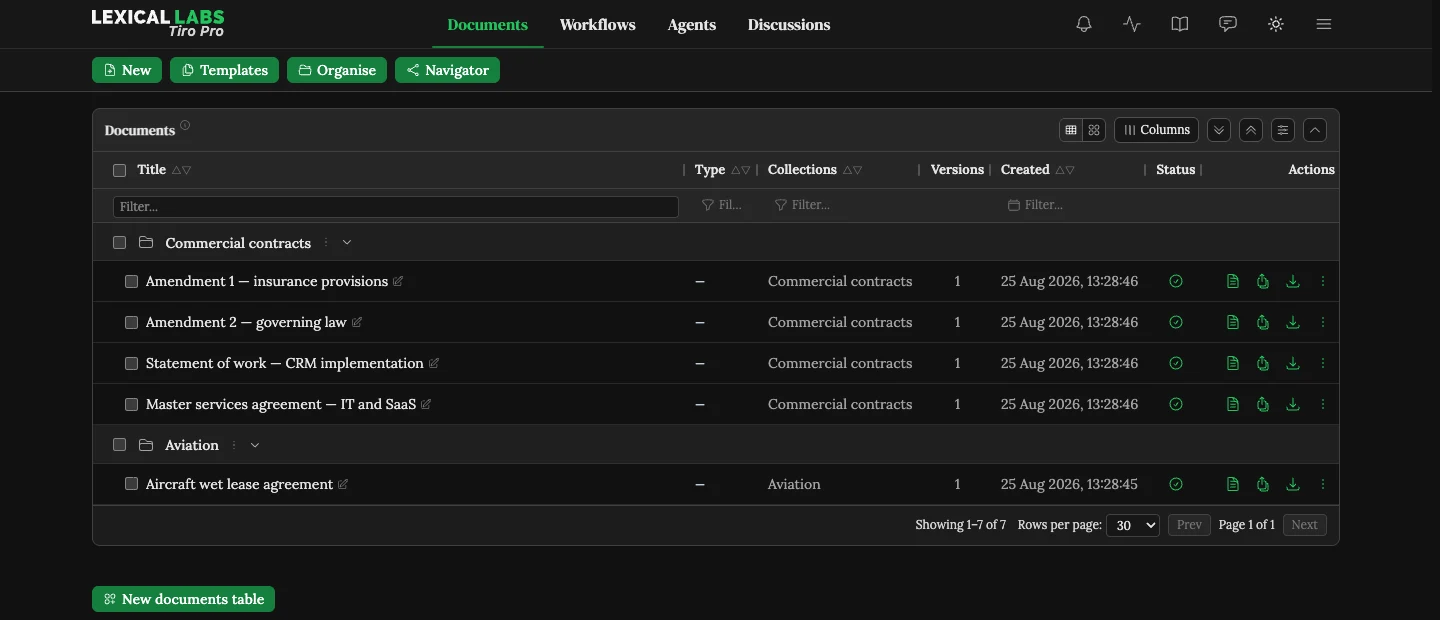
One home for your team’s documents
Upload once and work from a single table. Organise with collections and tags, track versions and processing status, and act on any document — download, review, send to a workflow — without leaving the page.
Bring in what you already have: Word, PDF, Excel, PowerPoint, CSV, HTML, text and Markdown. Scanned PDFs are read too, and every document’s text, tables included, is indexed so you can search it.
For the documents you produce again and again, templates generate finished Word documents from your own precedents: answer a questionnaire and watch the live preview take shape.
- Search everything your team holds from one page, diagrams included.
- Spreadsheets, presentations and other files embedded in a Word document, read along with it.
Context
Your documents, always in context
No document stands alone. File a deal’s documents into a matter, and Tiro Pro works out what each one is, which amends, supports or annotates which, and what the suite amounts to — a map of how the documents fit together, drawn for you in the navigator, that stays current as the matter moves on.
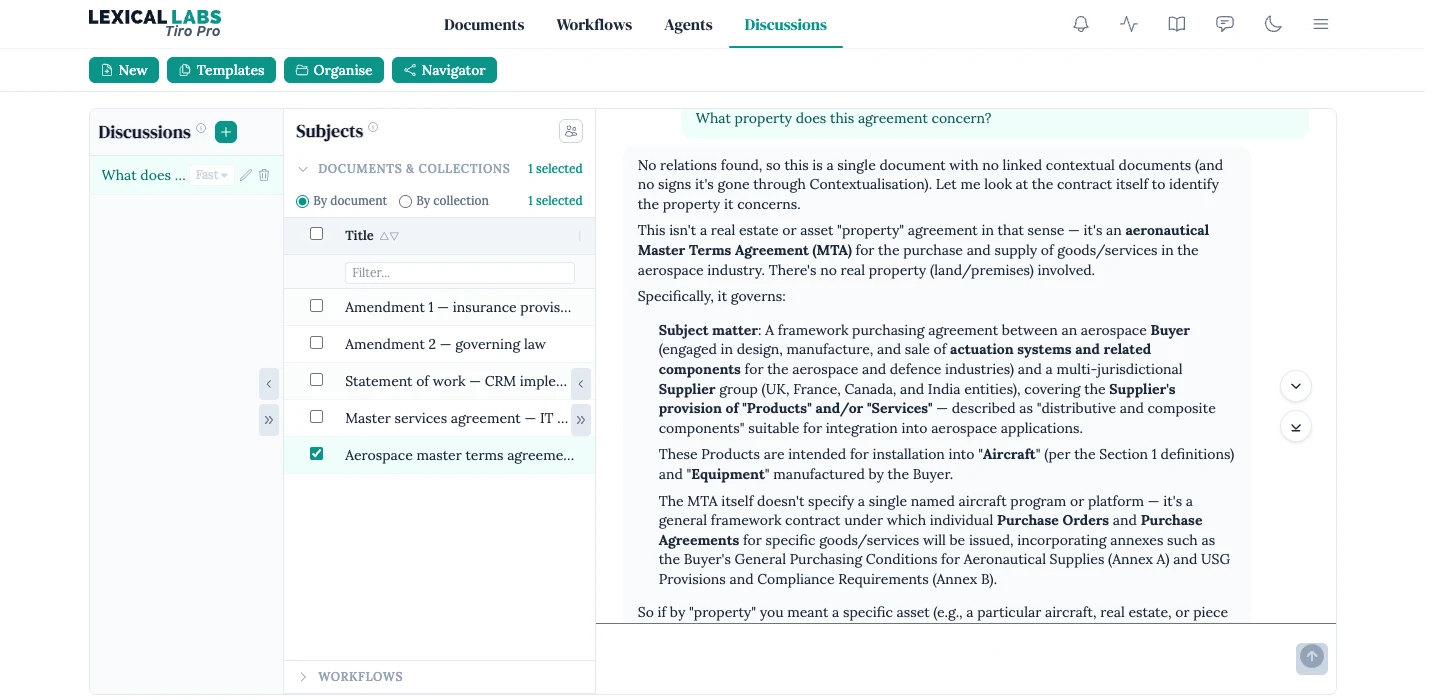
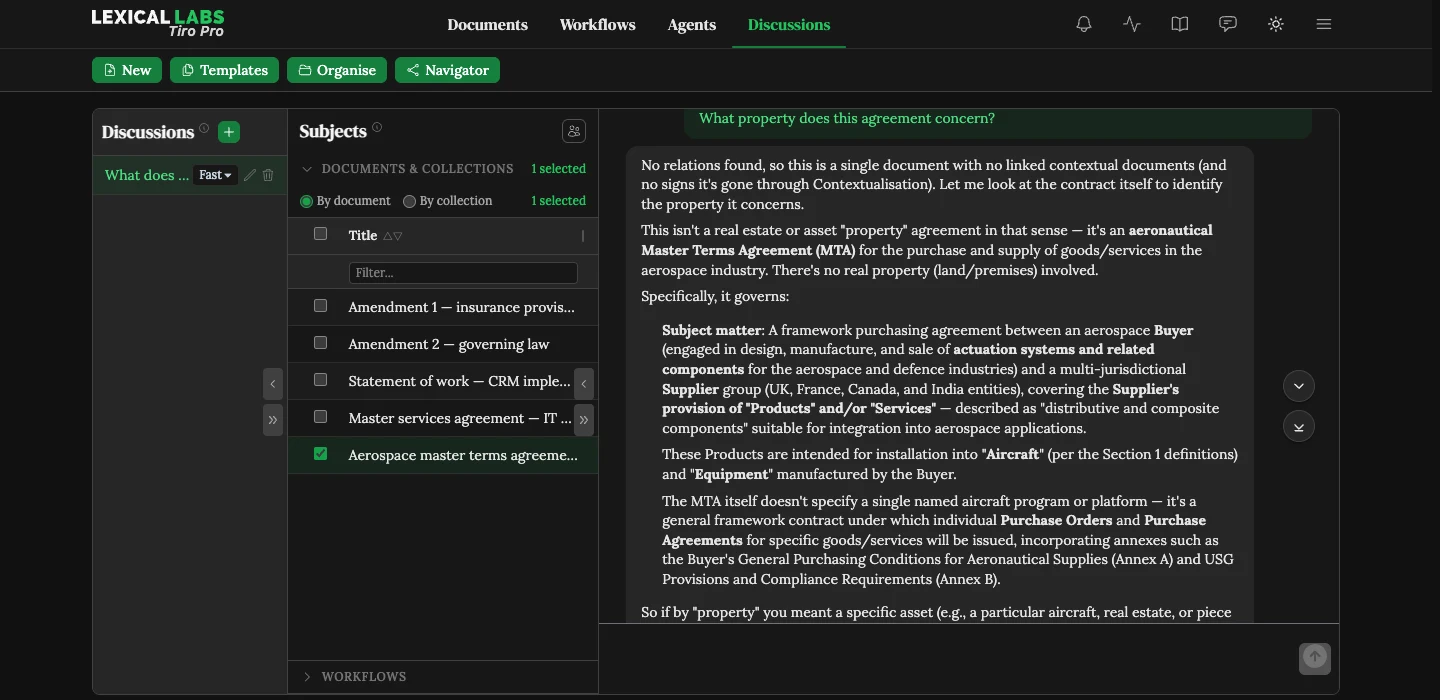
Ask a question and the agent draws on all of it: the documents you attach, how they fit into their matters, your team’s templates and workflow results, and the page you are working on.
- Reviews that weigh the client, the related contracts and what you agreed before, not just the playbook.
- Important information saved as context for future decision-making. A past concession informs the next review; it never authorises the same concession.
- A picture that grows sharper as your team adds context.
Agentic editing
Mark-ups drafted by agents, as tracked changes
Hand an agent a Word document and tell it what you want. It drafts the changes as tracked changes, with a comment explaining each one where you want the reason on record.
- Your instructions — ask in plain language, and the agent works with the matter’s other documents to hand.
- Your playbook — check a contract against your team’s standard positions, data protection and export control included, and get every issue rated red, amber or green and the contract back marked up.
- Your precedents — ask for a draft to follow a contract you have already agreed, or build a playbook from one.
Each change is marked against the clause as it stands, and an inserted clause takes its place in the numbering. Nothing changes in your library until you save the draft.
- Preferred and fallback positions in your playbook, so a review tells you what you can accept as well as what to change.
Master services agreement · draft
Tracked changes12.1 Limitation of liability
Each party’s total liability
under this Agreement shall not
exceed
the fees paid in the
twenty-four (24) months
the fees paid or payable in the
twelve (12) months
preceding the claim.
Agent Playbook position 4.2: cap liability at twelve months' fees.
12.2 Unlimited liability
Nothing in this Agreement limits either party’s liability for death or personal injury caused by negligence or for fraud.
Agent Follows the wording of your agreed 2025 MSA with this supplier.
Negotiation
From first draft to agreed terms
A review is not a one-off. When the other side replies, review their draft as the next round. Each issue shows what they did — accepted, rejected or counter-proposed — in their own words, beside your team’s reply, and whether it is settled or still waiting on you.
Send the deviation table to the other side as a Word document, or carry the agreed wording into the contract itself. Every round and version stays to hand, so you can see how each position moved.
Master services agreement · round 2
1 to respond · 1 responded · 1 settled
-
Limitation of liability
RespondedTheir response
Counter-proposed
“We can accept twelve months' fees if the cap applies to both parties.”
Our reply
Agreed: the cap is mutual, at twelve months' fees.
-
Governing law
SettledTheir response
Accepted
“English law is acceptable.”
Our reply
No further change.
-
Indemnity
Response requiredTheir response
Rejected
“We cannot give an uncapped indemnity for third-party claims.”
Our reply
No reply drafted yet.
Workflows
Use ours, or build your own in plain English
Run the workflows we design and maintain for common legal work — contract review against your playbook, extractions, and flying minutes. You supply the documents; each hands back a result you can review.
For the jobs only your team does — a due diligence summary, a tender response, a report in your own format — describe the work once in plain English and run it on any documents, whenever you need it. Start from a template, or ask the agent to draft the workflow for you, and refine it from there.
- Reports that bring reviews and extractions together into one document for the people who need it.
- Portfolio dashboards, and alerts on key dates, obligations and risks.
Ready-made
-
Contract review
Check a contract against your playbook
-
Extractions
The same facts from many contracts, in a table
-
Flying minutes
A board record, ready for signature
Your own
Lease key terms
For each lease, find the annual rent, the rent review dates and any break clauses. Flag anything unusual for a partner to look at.
Written in plain English
Automation
Coming soonSet the rule once, and the work starts itself
Policies are standing rules over your team’s documents: for every document that matches, do this. Point a rule at one of your own workflows, or describe the job in plain English, and an agent runs it in the background whenever a matching document arrives or a new version lands — no one has to start it.
Simpler jobs happen the instant a document matches, such as filing it into the right collection. A live preview shows which documents a rule will apply to before you switch it on, and everything a rule does is recorded.
Lease key terms
Applies to
- Collection: Property portfolio
- Tag: lease
- Excluding 1 document
Does
Run your Lease key terms workflow on each matching document.
14 documents match · runs on every new version
File NDAs
Applies to
- Role: NDA
Does
Add to the Confidentiality agreements collection.
38 documents match · takes effect instantly
Privacy and security
Stringent privacy controls, built in
Your documents are confidential, and Tiro Pro treats them that way. Access is enforced by the database itself, so your team sees only its own documents. They are hosted in the UK, and never used to train AI models.
And the judgement stays yours. Every finding and proposed change waits for your approval, with the reasoning and the playbook position behind it in view.
- Roles you define for your team, beyond administrators and members.
- SOC 2 attestation, alongside our ISO/IEC 27001 certification.
ISO/IEC 27001 certified
Our security management is independently audited.
-
Isolated at the database
Every read and write is checked against your team's permissions before any data is returned.
-
Never used for training
Neither we nor our AI providers use your documents to train or improve models.
-
Encrypted and hosted in the UK
Your documents are stored in the UK, and your data is encrypted at rest and in transit.
-
Every change on record
Each operation on each document is logged with who made it and when.
Interface
Simple by default, advanced when you need it
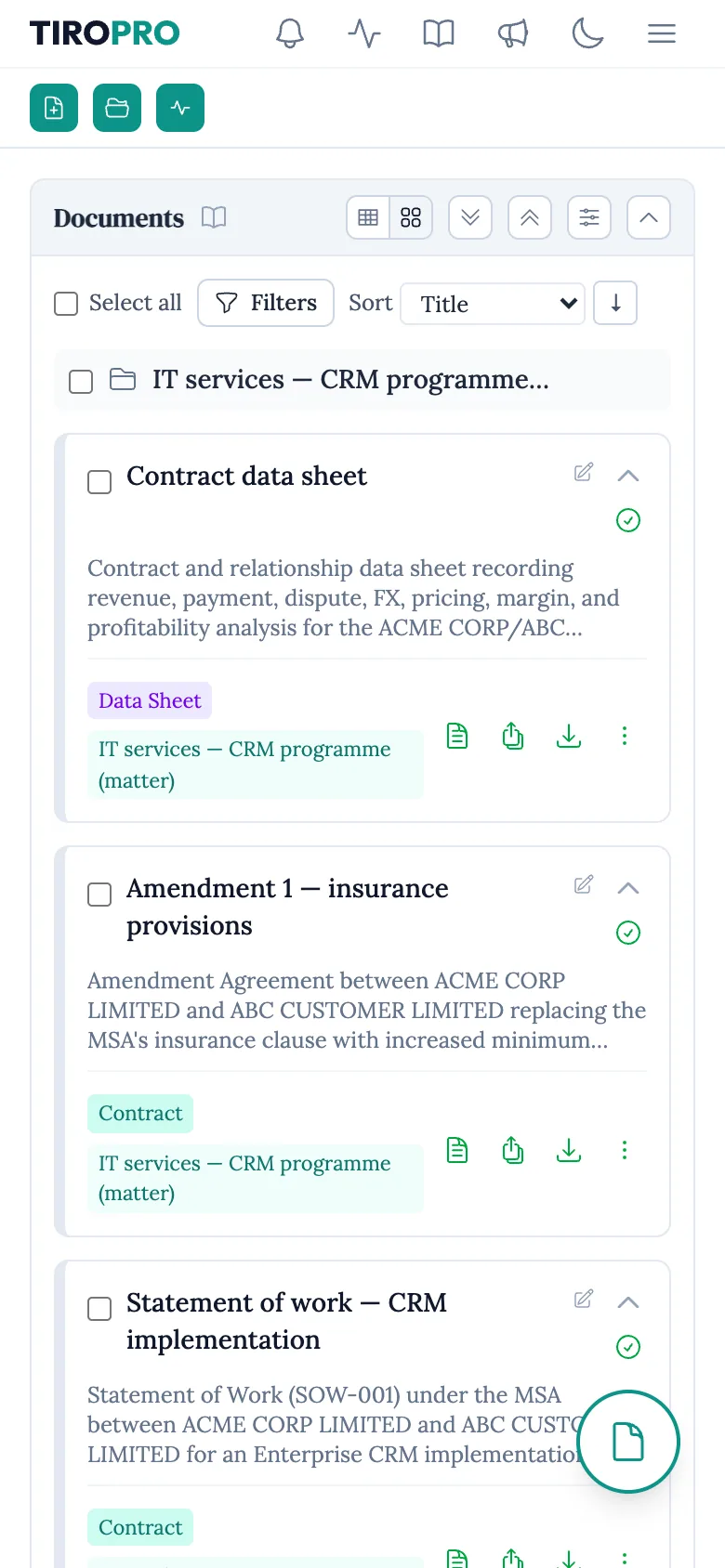
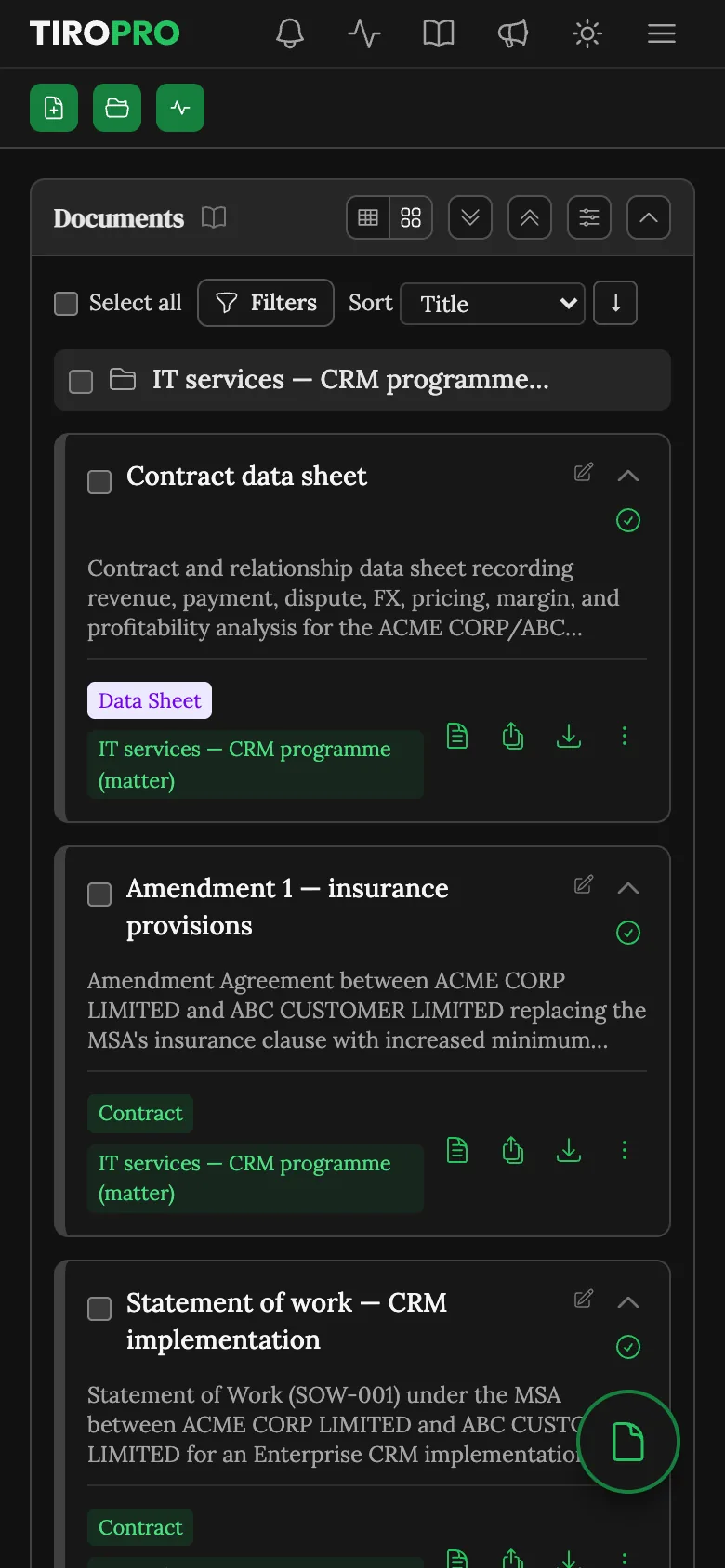
A beautiful, intuitive interface that new colleagues find their way around on day one, in light or dark mode. It works just as well on a phone: pages adapt to a small screen, and pages with several panels show them one at a time behind a switcher. Power users can switch on advanced tools — tags, the Document navigator, a live activity feed — for themselves, without cluttering anyone else’s screen.
Features
What your team can use today, and what we are building next.
| Feature | Status |
|---|---|
| Documents | |
|
One library for your team Upload once, organise with collections and tags, and track every version. Older Office formats are converted for you. |
Available |
|
Bring in any format Word, PDF, Excel, PowerPoint, CSV, HTML, text and Markdown. Scanned PDFs are read too, and every document is indexed for search. |
Available |
|
Search Search everything your team holds from one page, diagrams included. |
Coming soon |
|
Embedded files Spreadsheets, presentations and other files embedded in a Word document, read along with it. |
Coming soon |
|
Documents in other languages Review and work with contracts written in languages other than English. |
Coming soon |
|
Generate documents from templates Answer a template's questions with a live preview beside you, and produce several Word documents from one set of answers. |
Available |
|
Edit Word documents in the browser Make changes to a Word document without leaving Tiro Pro, on your own or with colleagues at the same time. |
Coming soon |
|
Turn your own precedents into templates Upload a Word document and build a template from it yourself. Until then, we build your templates for you. |
Coming soon |
| Context | |
|
Matters File related documents into a matter, and Tiro Pro works out what each one is and how the set fits together, then draws the map for you. |
Available |
|
Client and deal context Reviews that weigh the client, the related contracts and what you agreed before. Important information is saved as context for future decision-making. |
Coming soon |
| Discussions | |
|
Ask questions of your documents Attach the documents that matter and ask in plain language; answers are grounded in what they say. |
Available |
|
Draft changes as tracked changes Ask the agent to change a Word document, and review its drafting as tracked changes before you save it. |
Available |
|
Quick Chat from any page Keep a conversation open beside your work, and ask the agent to run your saved workflows. |
Available |
| Workflows | |
|
Playbook contract review Review a contract against your team's standard positions and get every issue rated red, amber or green, a deviation table, an issue analysis, and a marked-up Word document. |
Available |
|
Negotiation rounds Review the other side's reply as the next round, see what they accepted, rejected or countered, and send back an updated deviation table. |
Available |
|
Fallback positions Preferred and fallback positions in your playbook, so a review tells you what you can accept. |
Coming soon |
|
Extractions Pull the same facts out of many contracts into a table, each answer linked to the clause it came from. |
Available |
|
Flying minutes Draft board records in your own format, with the narrative and resolutions prepared for you to review. |
Available |
|
Dynamic workflows Describe a job once in plain English, then run it on any documents whenever you need it. |
Available |
|
Activity Follow every background run in one place, answer questions an agent puts to you, and cancel runs. |
Available |
|
Reports and dashboards Bring reviews and extractions together into one report, with portfolio dashboards and alerts on key dates and obligations. |
Coming soon |
| Automation | |
|
Policies Standing rules that put an agent to work whenever a matching document arrives or changes. |
Coming soon |
| Integrations | |
|
Document management Bring documents in from SharePoint, OneDrive, Google Drive, iManage and NetDocuments, and keep them in step as they change. |
Coming soon |
|
File an email and its attachments into Tiro Pro straight from Outlook or Gmail. |
Coming soon |
|
Word add-in Ask the agent, check a contract against your playbook, and take its drafting as tracked changes without leaving Word. |
Coming soon |
|
Connect your systems A public API, and connectors to contract management systems and legal research services, so Tiro Pro works alongside your other tools and agents. |
Coming soon |
| Security | |
|
ISO/IEC 27001 certified Independently audited security management. Your documents are hosted in the UK, and never used to train AI models. |
Available |
|
Enterprise controls Roles you define for your team, and SOC 2 attestation. |
Coming soon |
Experience the future of work
Tiro Pro is in early access. Write to us and we will arrange access for your team.